Org Branding
Any organization can upload a logo that appears on their public schedule page, so parents see your studio's name and mark — not a generic calendar.
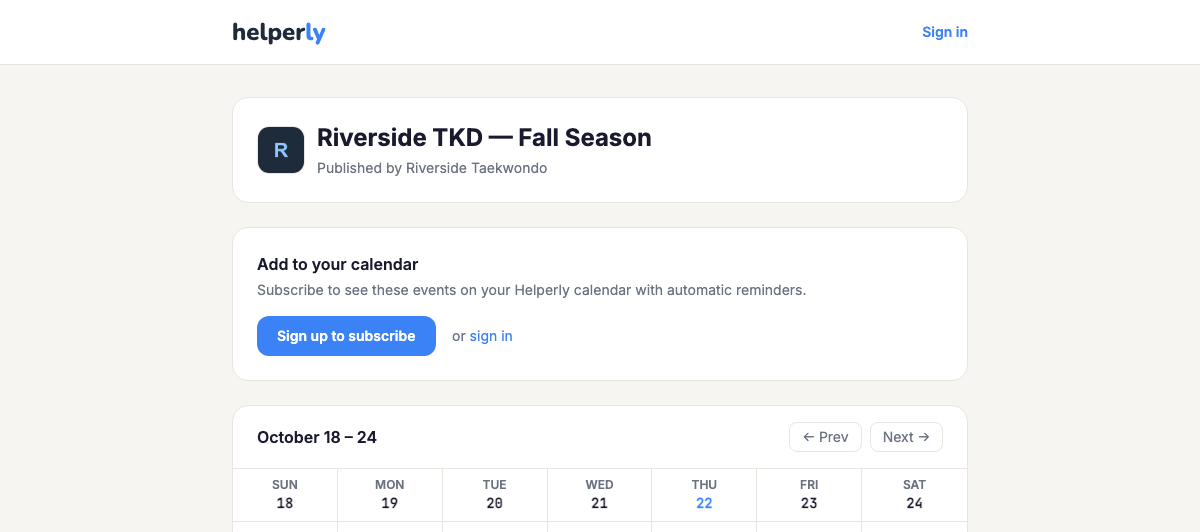
Upload your logo any time from Organization Settings. It shows up on your public schedule page as soon as you're published on the $25/month Business plan — no re-uploading required.
Business Pro: your brand on everything families see
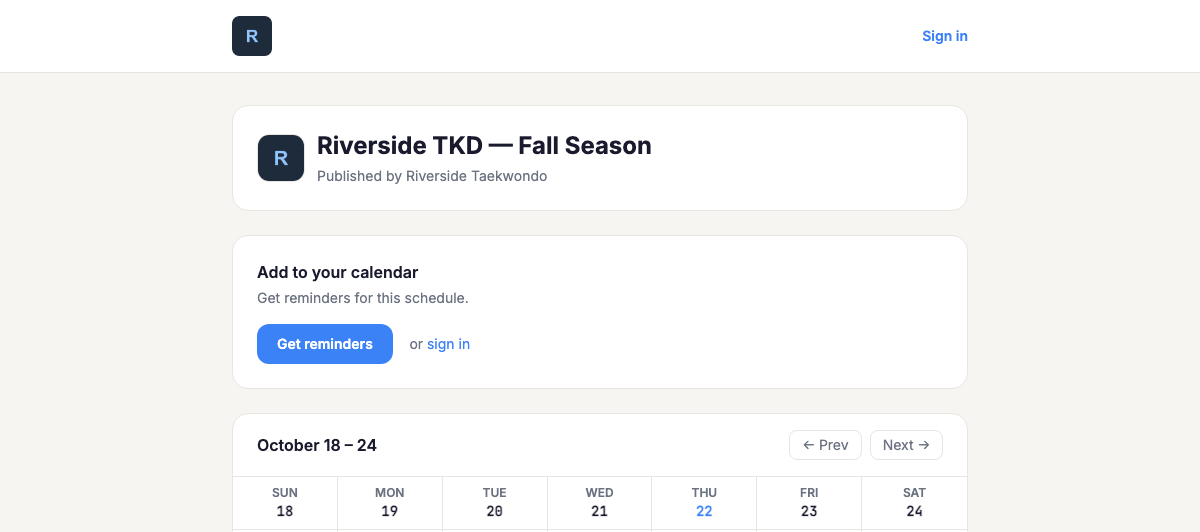
On the Business Pro plan, the emails, pages and printouts families get from your schedules carry your organization's name and logo instead of Helperly's.
- Reminder emails come from your organization's name, show your logo (or your name, if you haven't uploaded one), and never include Helperly promotions.
- Private calendar invites are sent under your name.
- Your public schedule page shows your logo or name at the top, uses your logo as the browser tab icon, and puts your name in the page title.
- Printed standing schedules and QR flyers don't mention Helperly. Flyers say "Scan to get reminders" under the code.
- Replies to your emails can go to your own inbox: add a reply-to address in Organization settings, then confirm it from the email we send to that address.
What still says Helperly
Unless you set up your own sending domain (below), emails are sent from a helperly.app address. The links to manage reminders, unsubscribe, sign up, sign in, and read our Privacy Policy and Terms always go to helperly.app, and families who sign up get a Helperly account.
If your plan changes
If your Business Pro subscription ends, Helperly branding returns on the next email, page view or printout. Your logo and reply-to address are kept, so everything comes back if you upgrade again.
Sending from your own domain
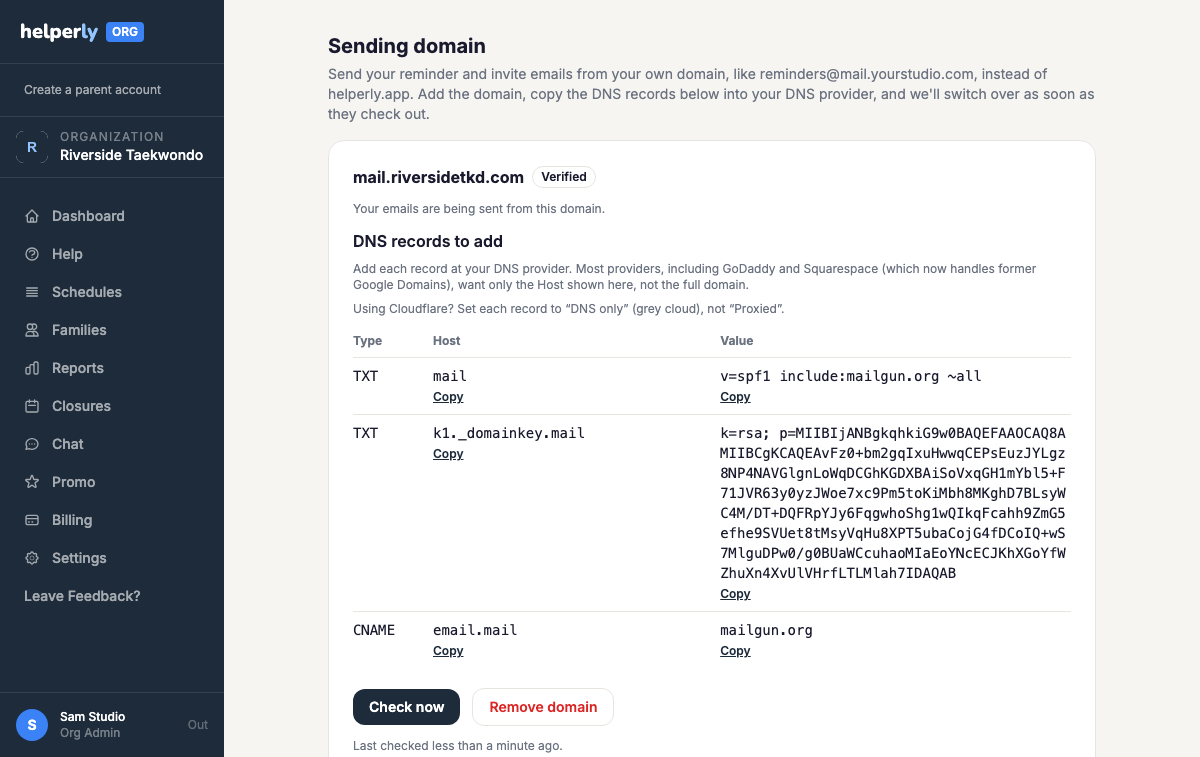
Business Pro organizations can ask us to turn on custom sending domains. Once it's on, emails can come from an address like reminders@mail.yourstudio.com instead of helperly.app.
- Open Organization settings and choose Set up sending domain.
- Enter a subdomain you own, such as mail.yourstudio.com. We recommend a subdomain so your everyday email isn't affected.
- Copy each DNS record into your DNS provider. Most providers, including GoDaddy and Squarespace, want only the Host shown, not the full domain. On Cloudflare, set each record to “DNS only”.
- We check your records every 15 minutes for the first 48 hours. As soon as they check out, your emails start coming from your domain.
If something goes wrong
Emails never stop. Until your domain is verified, or if its records stop checking out, emails go out from helperly.app and we email you about it. If your Business Pro plan ends, we remove the domain and emails go back to helperly.app.