Calendar Export & Sync
See every profile's activities in Google Calendar, Apple Calendar, or Outlook — either as a one-time import or a link that keeps itself up to date.
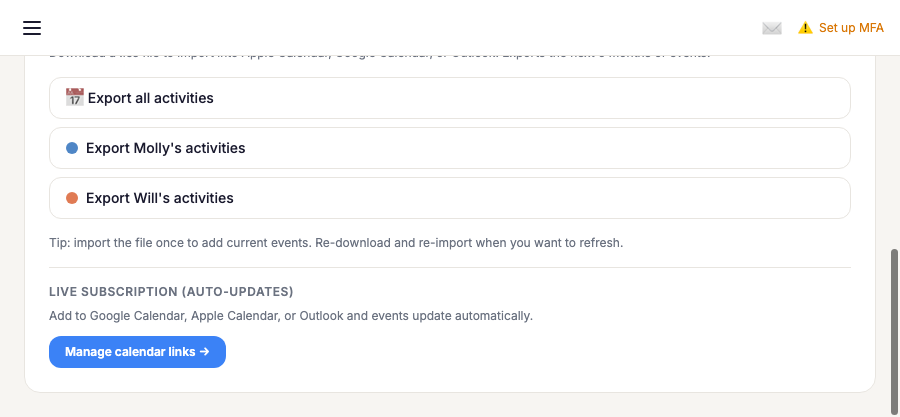
One-time export
From the Subscriptions page, download a .ics
file for all profiles' activities or just one, then import it into any
calendar app. This is a snapshot — re-download and re-import whenever you
want to refresh it with new or changed events. Available on every plan.
Live subscription (auto-updates)
From Manage calendar links, copy a link and add it as a subscription in your calendar app:
- Google Calendar — Other calendars → + → From URL → paste your link.
- Apple Calendar — File → New Calendar Subscription → paste your link.
- Outlook — Add calendar → Subscribe from web → paste your link.
Once subscribed, new events, cancellations, and overrides show up automatically — Google Calendar can take up to 24 hours to refresh; Apple Calendar and Outlook check in sooner. If a link is ever compromised, use "Regenerate" to invalidate it and get a fresh one.
Last-minute changes
Because calendar apps refresh on their own schedule, a class cancelled or moved at short notice can still show its old time for a few hours. When that happens to a class starting within the next 36 hours, Helperly lets you know directly — but only if your calendar app hasn't picked up the change yet:
- Email — one message covering everything that changed (a rainout that cancels several classes is one email, not several), with the old and new details.
- Push notification — instead of email when the class starts within 12 hours and you've turned on push notifications.
- Chat — for a studio's schedule, a "Schedule update" also appears in its chat so everyone can see it and reply.
If the change is undone before the message goes out, nothing is sent.
Following another family?
If you follow one or more families (see Family Followers), the Followers page offers the same one-time and live links per family you follow, plus one consolidated link that merges every family you follow into a single feed.