Family Followers
Invite a grandparent, nanny, or anyone else who should see (but not edit) your family's activity calendar — on a paid plan, from the Followers page.
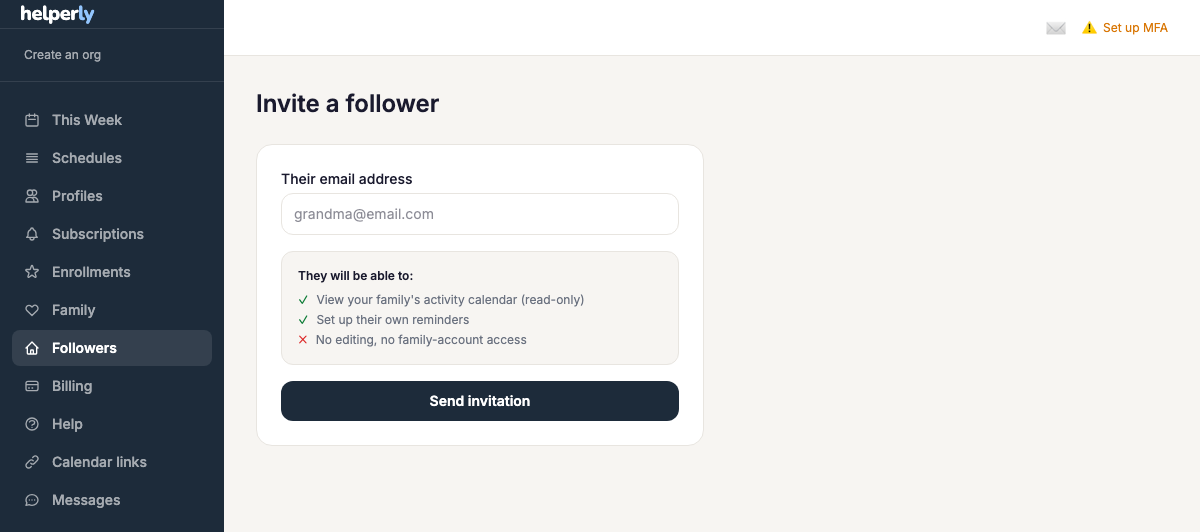
- 1. Send an invite — enter their email from the Followers page.
- 2. They accept — the invite link lets them create or sign in to their own account.
- 3. They see your calendar, read-only — no editing, no access to your account settings.
- 4. They can get their own reminders — and their own iCal link to your whole family's calendar, independent of yours.
Following more than one family
Once you're following at least one family, your sidebar switches to a dedicated follower view — separate from the "Schedules" and "Enrollments" tools that only make sense for your own family's calendar.
This Week shows an aggregate calendar with events from every family you follow merged onto one grid, so you don't have to check each family separately. Under Viewing in the sidebar, a switcher lists "All families" alongside each family you follow by name — pick "All families" to see the combined calendar, or pick one family to jump straight to that family's own calendar instead.