Who's Driving
Record who takes each profile to and from an activity. Helperly puts it in everyone's reminders and calendars, and tells people when something changes.
Who can drive
You, your co-parent, and anyone who follows your family (a grandparent or a babysitter, for example) can be set as a driver. Followers can only drive while your family is on a paid plan, the same as following itself.
Only you and your co-parent can change who's driving. A follower sees who's driving but can't edit it.
Setting a driver
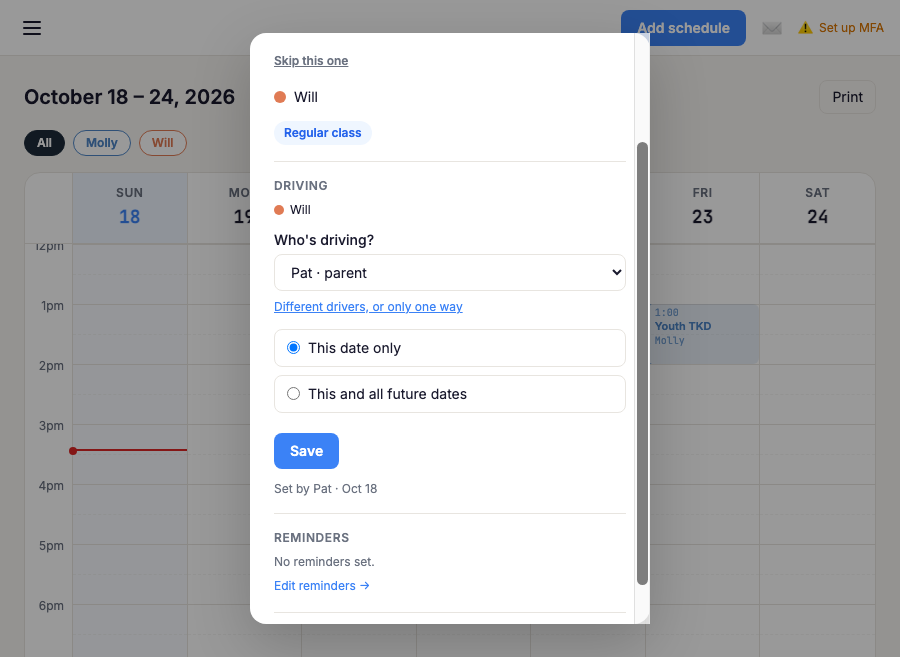
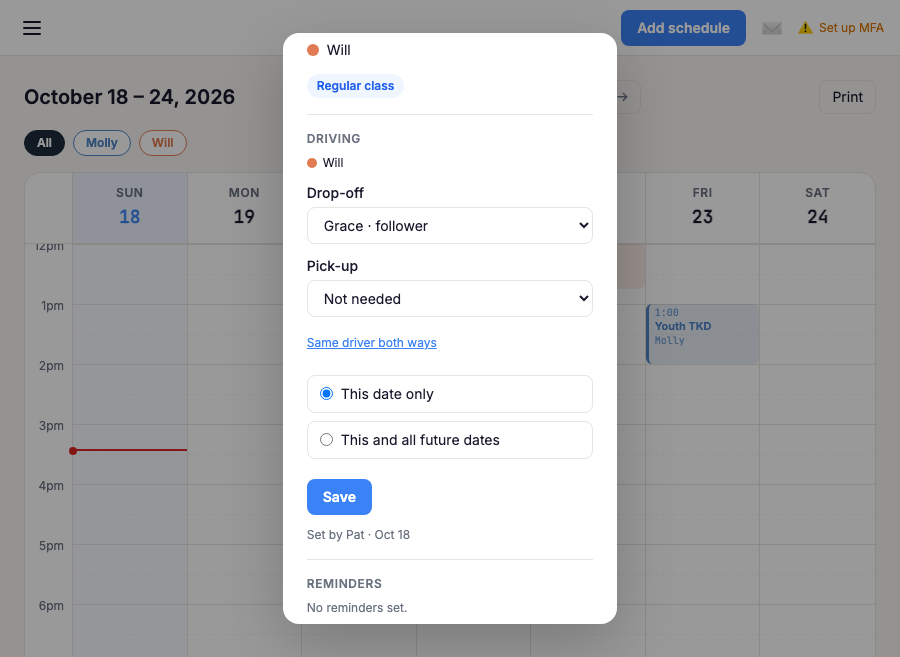
Open a class on your calendar and find the Driving section. Choose one person to drive both ways, or pick "Different drivers, or only one way" to choose a drop-off and a pick-up separately. When siblings are in the same class they share one ride; untick a profile to give them a ride of their own.
For a class that repeats, choose "This date only" for a one-off change, or "This and all future" to change the regular arrangement. If that would replace one-off changes you already made, Helperly tells you how many first.
Each class on the calendar shows a small car with the driver's initial, so you can see the week at a glance.
When nobody needs to drive
Some activities sit next to the school day. A before-school class may need a drop-off but no pick-up, because your child goes straight on to school. An after-school class may need no drop-off, because they arrive from school. Set that leg to "Not needed".
"Not needed" is different from "Nobody yet". "Nobody yet" means someone still has to drive; "Not needed" means nobody does. A class held at the school can have both legs set to "Not needed".
Reminders and calendars
Your reminders say who's driving: "Sam is driving." or "You're dropping off. No pick-up needed." The same line appears in your calendar feeds, always with the driver's name.
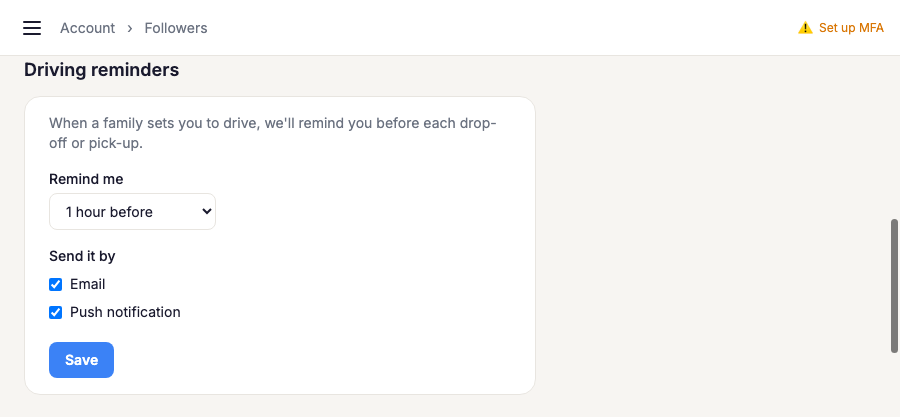
A follower who drives gets their own reminder before each drop-off or pick-up, for example "You're dropping off Ava at Swim at 5:00 PM". They choose how long before, and by email or push, under Driving reminders on their Followers page.
When something changes
Helperly tells a driver when they're set to drive or taken off a ride. If the change is within a day of the ride, the other parent hears about it too. If a class a driver is set for is cancelled, closed, skipped, or moves to a new time in the next two days, the driver is told.
A follower who can't make it can say so from the class on their calendar. That frees their leg for that date only, and you're told right away so you can find someone else.
If a follower or co-parent stops being connected to your family, they're taken off your rides and you get one email listing the upcoming rides that need a new driver.