Download Your Data
You can download a copy of the information Helperly keeps about you and your family from Account → Profile → Download my data.
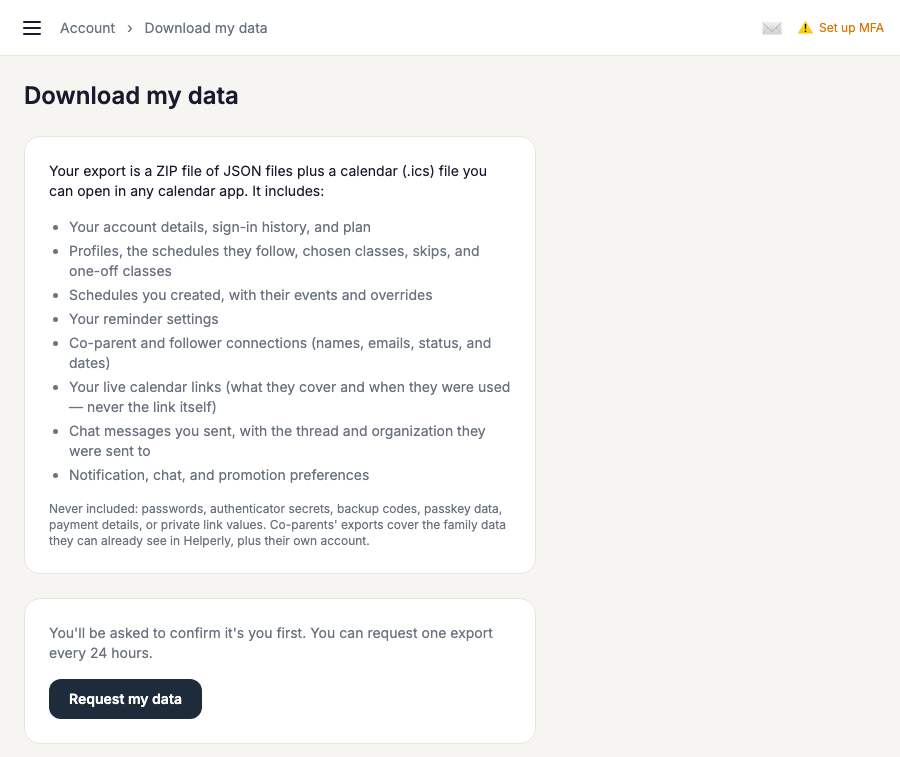
Requesting an export
Choose Request my data. For your security, Helperly first asks you to confirm it's you with your password, a code from your authenticator app, or a passkey. Your export is then prepared in the background, and we email you a link when it's ready, usually within a few minutes. You can request one export every 24 hours.
What's in it
A ZIP file of JSON files you can open in any text editor or import elsewhere: your account details and sign-in history, your profiles and the schedules they follow (with chosen, skipped, and one-off classes), schedules you created with their events and overrides, your reminder settings, your co-parent and follower connections, your live calendar links (what they cover and when they were last used), chat messages you sent, and your notification and promotion preferences. It also includes a calendar.ics file with your next six months of activities for any calendar app.
What's never in it
Passwords, authenticator secrets, backup codes, passkey data, payment card details, and the values of your private calendar and sharing links are never included, even though the export is only for you. Other people's chat messages aren't included either.
Co-parents
If you're a co-parent on someone else's family, your export includes your own account plus the family information you can already see in Helperly, such as profiles, schedules, and subscriptions. Your reminders, chat messages, and preferences are your own; the family owner's billing details aren't included.
Downloading and expiry
The link in the email only works while you're signed in to your own Helperly account. Your export is deleted automatically after 7 days. If you need another copy after that, just request a new one.